this week was all about how to play the game and how to teach someone to play the game. i have a background in designing support systems so this isn’t too alien to be but the way games can deliver information and what assumptions can be made is very different.
tutorial on tutorials
i talked about learning a few weeks ago and what info needs to be delivered to the player, but not about how its done so much.
tutorials exist to show the player how to play as well as showing what kind of options they have.
tutorials (in my opinion), do not exist to lore dump or explain anything much beyond the essentials.
nor should they attempt to explain absolutely everything.
nor take too long.
for this reason the tutorial in BA is build around a two main methods (with many other parts within). the tutorial level and introductory popups.
the tutorial level does what it says on the tin and goes into full depth on most mechanics. it has one primary popup to deliver control information (which will be replaced probably) and then has a very strictly choreographed set of objectives to guide the player though each step. this also contains ghosts which show the player where to build though i’d rather use the analogy of paint on the ground in later versions.
introductory popups are different. the tutorial level contains these but they’re scattered around. they introduce players to new mechanics as they appear. examples
- each time the player selects a tool they’ve never seen before
- when the player is damaged for the first time
- when a fire appears for the first time
popups shouldnt have more than 5 slides, each shouldn’t have more than 1-2 sentences and where possible they should have imagery.
using this approach i made a simple tutorial that covers most game mechanics.
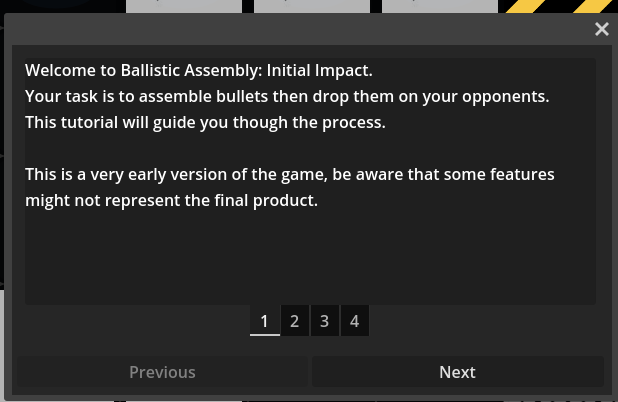
the first help popup of the game
objectives
tutorials are bundled under the ‘help manger’ which also controls things like tooltips and mission objectives.
i see objectives as a kind of ongoing tutorial for each level. we want them to help the player as much as possible to succeed but unlike the tutorial, we dont want to hand make a bunch of stuff.
objectives are just an object that lives in a little container in the corner. when added by the help man, they supply text (“blow up that fort”) and an object. depending on which object is passed, something different happens:
- if its a specific entity - turn that entity yellow when this objective is hovered
- if its a ui button - draw a yellow pulsing border around it when this objective is hovered
- if its an enemy - highlight in yellow
and so on. this way a player can easily see what the objective is all about.
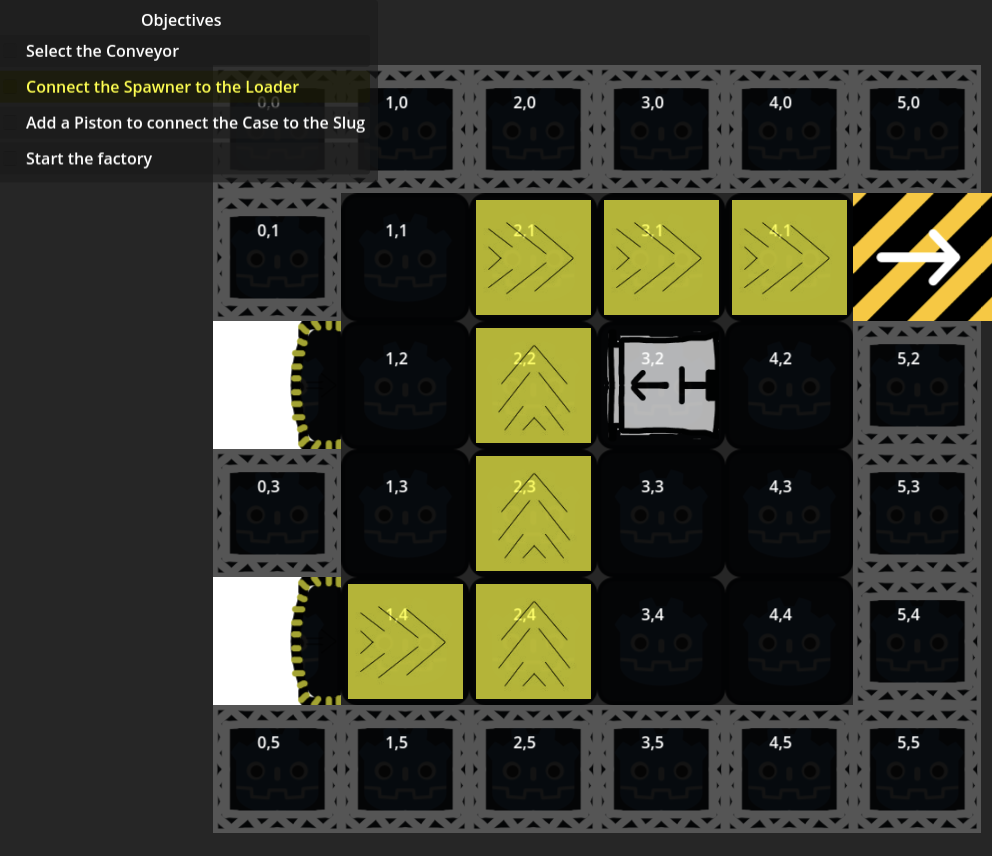
example tutorial objective that highlights conveyor ghosts
then we can set up a simple intro script on the base level object that automatically sets objectives for making a successful bullet, and for blowing up each enemy.
small effects
things look pretty drab right now, so i spent some time making improvements to the effect manager. this lets it show when a case is ejected after a shot is fired, or a whole bullet is ejected as the mag is full.
happy i made this effect manager as it really brings together a lot of different things that would be very annoying to deal with otherwise.
first players
i also sent the game to a few friends so next week we should have some feedback to work from. very cool.